
Disclaimer: When you buy something using the links on our website, we may earn a small commission. No worries—you won’t be charged anything extra!
Let's face it—it's the digital age. And no matter where you go, you want to stay connected to the internet to contact loved ones, access your social media accounts, or check your emails for work. Before, when you traveled, you were at the mercy of your hotel room and could only hope they had good WiFi service. Or, you could buy a local sim card to at least get some data to check Google Maps or use Google Translate.
Fortunately for places like Thailand, and other countries in Southeast Asia, there are many options—and better ones, too!—to give you constant access to WiFi while you're traveling. We're talking about pocket WiFi that you can rent via Klook.
In this post, we give you the breakdown of the top 2 best WiFi options when traveling to Thailand and how you can book them.
What is Klook?
Klook is an activity booking platform where you can book activities, experiences, and various things when you travel. Usually, they come and great deals and prices—perhaps some of the best you can find on the internet.
Aside from booking activities for fun, touristy things, Klook takes care of the practical side of life with stuff you may need while traveling, like an airport transfer, a rail pass, or a car rental. And for several countries, they provide portable pocket WiFi devices so you get access to the internet no matter where you go.

Best Portable Pocket WiFi Options for Thailand
If you have a trip planned to Thailand and need internet, you can book a portable pocket wifi from Klook. Currently, they have two really great options, and it can be confusing to decide which of the two you should book or what the difference is between them. We're here to help you so you don't have to stress over the tiny details of your trip and just have fun traveling.
1. Thailand Unlimited 4G Pocket WiFi (AIS)
Details:
- Pick Up Options
- Klook Counter at Suvarnabhumi Airport (BKK) in Bangkok, Thailand
- Klook Counter at Central World (CTW)
- Device Type
- Pocket WiFi Device Only
- Pocket WiFi Device with Insurance
- Speed: 4G
- Data Limit: Unlimited
- Upload Speed: Unlimited
- Download Speed: 150 Mbps
- Maximum No. of Connected Devices: 5
- Battery Life: 8-20 hours on a full charge
- Coverage Area: The whole of Thailand
- Local Telecom Operator: AIS
The AIS Unlimited 4G Pocket WiFi gives you high-speed internet access in Thailand no matter where you go. You can connect up to five devices to one pocket WiFi, and it has 20 hours of battery life—perfect for long hours on the road.
Get the AIS Unlimited 4G Pocket WiFI here.
2. Thailand Unlimited 46 Data WiFi (Smile)
Details:
- Pick Up Options
- Smile WiFi Counter at Suvarnabhumi (BKK) in Bangkok, Thailand
- Smile WiFi Counter at Don Mueang Airport (DMK) in Bangkok Thailand
- Device Type
- Pocket WiFi Device Only
- Pocket WiFi Device with Insurance
- Speed: 4G
- Data Limit: Unlimited
- Upload Speed: 50 Mbps
- Download Speed: 150 Mbps
- Maximum No. of Connected Devices: 5
- Battery Life: 10-12 hours on a full charge
- Coverage Area: The whole of Thailand
- Local Telecom Operator: Smile WiFi
The Smile WiFi Unlimited Data gives you unlimited WiFi data no matter where you travel in Thailand. Like the AIS portable WiFi, you can connect up to five devices. It lasts 10-12 hours on a full charge, so you can use it for an entire day.
Get the Smile WiFi Unlimited Data here.
Pros and Cons of Getting a Portable Pocket WiFi in Thailand
Pros of Getting a Portable Pocket WiFi in Thailand
- It's easy to use.
- It's easy to pick up, especially if you will be getting the AIS Unlimited 4G Pocket WiFI at Suvarnabhumi Airport.
- Its battery lasts the whole day as long as only 3-4 devices are connected and you don't use it continuously.
Cons of Getting a Portable Pocket WiFi in Thailand
- You have to think about holding an extra device aside from your laptop, cellphone, and other gadgets.
- You have an extra gadget to charge. If it runs out of battery during the middle of the day, you may not have WiFi options.
- You have to pay THB 1,000.00 up front (refundable if you return the device in the same condition you borrowed it).
Should You Get a Pocket WiFi or a Local Sim Card?
Some travelers opt to buy a local sim card in the country of their destination. With a local sim card, you can easily switch your data on or off. However, getting a pocket WiFi or a local sim card has its own advantages and disadvantages.
You should get a local sim card if...
- You only need an internet connection for your phone. If you'll just be using your phone and don't need to connect other gadgets, you'll be fine with a local sim card for data.
- You don't need to receive text messages from your home country. If messaging apps are your usual mode of communicating with people—even those from back home—you can just get a local sim card so you have data.
You should get a portable pocket WiFi if...
- You need to connect multiple devices to the internet at the same time. If you hotspot data from your phone to all your devices, your phone may end up overheating, and its battery may end up draining fast.
- You need to do transactions abroad that require pinging a pin or code to your number. Some credit card transactions require you to input an OTP (one-time pin) that is sent to your primary number. If you don't have an extra phone, you'll need to switch the local sim to your home sim, but what if you need the internet to input the OTP into your laptop? Transactions like that can be a hassle, so you might be better off getting a portable WiFi device instead.
Which is the Best Klook WiFi for Thailand?
| AIS Pocket WiFi | Smile Pocket WiFi | |
| Speed | 4G | 4G |
| Data Limit | Unlimited | Unlimited |
| Upload / Download Speed | Unlimited / 150 Mbps | 50 Mbps / 150 Mbps |
| Maximum No. of Connected Devices | 5 | 5 |
| Battery Life | 8-20 hours on a full charge | 10-12 hours on a full charge |
| Coverage Area | The whole of Thailand | The whole of Thailand |
| Local Telecom Operator | AIS | Smile WiFi |
| Cost | ₱244* / day | ₱320** / day |
* Prices are from Klook and are subject to change without prior notice.
** Currently the Smile WiFi pocket is on sale at ₱232 / day.
Things to Consider:
While both the AIS and Smile WiFi portable WiFi devices have several similarities, especially in terms of speed and connection, there are some things you may want to consider:
- Your daily activities. AIS WiFi can last 8-20 hours on a full charge. We're guessing that the fewer devices connected to it, the longer it can last. The Smile WiFi, on the other hand, can last for up to 10-12 hours on a full charge. If you'll be spending more than eight hours out and about, you may want to be sure that your WiFi device can go that long without charging it.
- The number of devices connecting to it. While both devices declare that they can serve a maximum of five devices, Smile WiFi has a note that connecting all five devices at once may affect the internet speed, so they recommend connecting just 3-4 devices instead.
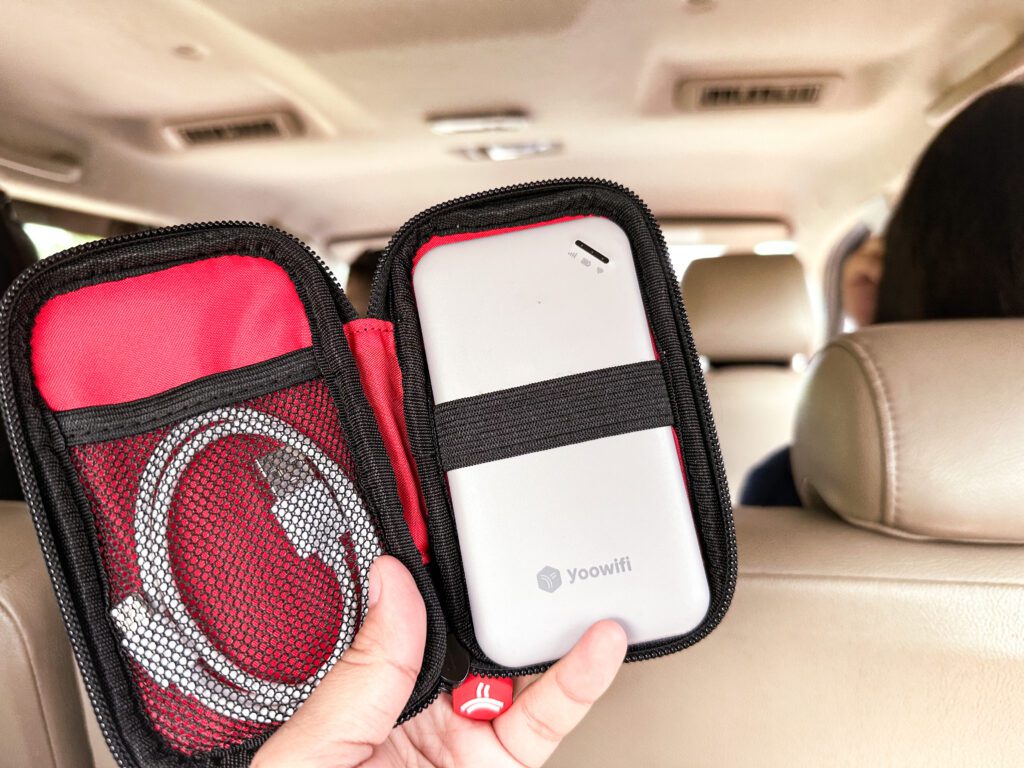
- Ease of use. While both are relatively easy to setup, for the AIS WiFi, you'll need to download the Yoowifi app to activate the portable WiFi.
- Budget. The most significant difference between the two WiFi providers is how much they cost. While Smile WiFi currently has a discount, it can be pretty expensive when you rent it at the actual cost.
Get the AIS Unlimited 4G Pocket WiFI or the Smile WiFi Unlimited Data.

Our Experience with the AIS Unlimited 4G Pocket WiFi
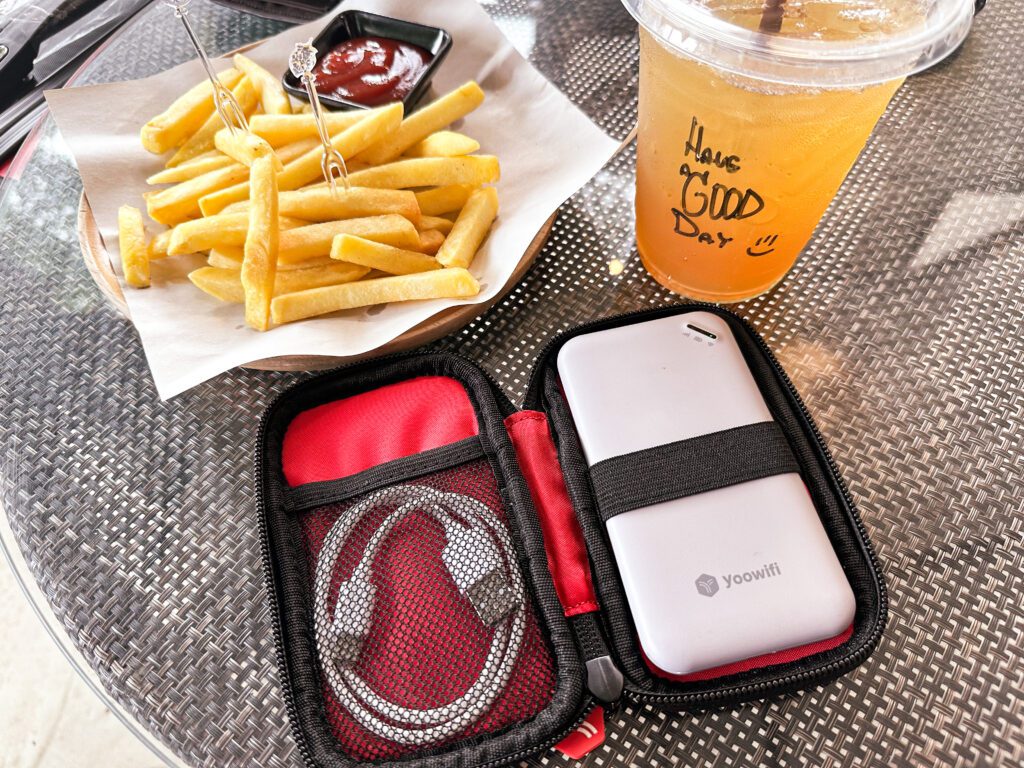
We recently traveled to Bangkok and other provinces in Thailand and rented an AIS Unlimited 4G Pocket WiFI. Here's a summary of our experience there as well as some notes:
- It takes some time to connect. When you do a long press to turn it on, it takes about 30 seconds to one minute before connecting to your device.
- The instructions about the device symbols may be a little confusing. When on, the device will show three dots which stand for:
- Signal (leftmost dot) - It will be red when you first turn it on before turning to green.
- Battery (middle dot) - It shows green, yellow, or red—depending on how much battery you have left. While charging, this will blink. An unblinking green dot means it is fully charged.
- Connection (rightmost dot) - It will keep blinking until it connects to your device.
- Charge it overnight. If you want to use it the whole day, it's best to leave it charging overnight.
- It takes a long time to drain. There were times when we used it for the entire day (with a couple of cell phones and an occasional laptop connected at the same time). The most we ever reached was a red indicator, but we never experience it being drained completely.
- It only comes with a cord, so you have to bring your own charger head.
- It heats up if you leave it on for a very long time.
- It may have a weak signal in some enclosed spaces, but elsewhere it works just fine.
- It worked well even in the province.
Have you tried AIS WiFi or Smile WiFi portable devices? Share with us your experience!
Disclaimer: When you buy something using the links on our website, we may earn a small commission. No worries—you won’t be charged anything extra!



Leave a comment